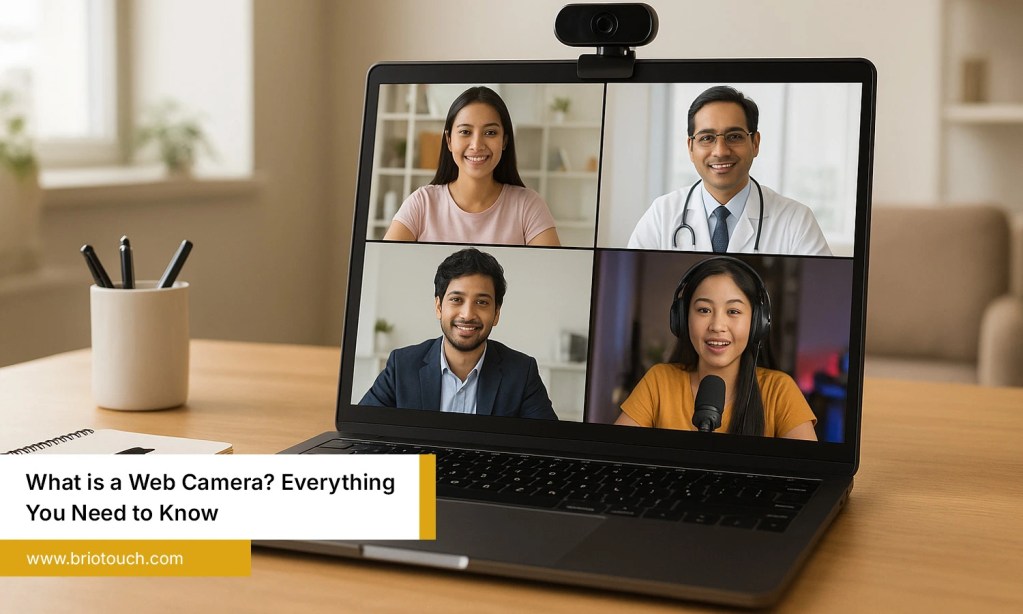

Education is changing quickly, and classrooms are becoming smarter with the help of modern technology. Today, teachers need reliable tools that can support in-person, online, and hybrid learning without affecting the quality of lessons. One such innovation is the ptz camera for teaching, which helps educators deliver engaging classes while ensuring every student has a clear view of the lesson. It improves communication, supports lecture recording, and creates a better learning experience for everyone. In this blog, we will explain what a PTZ camera is, its benefits, key features, and how to choose the right one for your institution.
Table of Contents
Also Read: How to Choose the Best Video Conferencing PTZ Camera for Professional Meetings
Why Smart Learning Environments Need Advanced Classroom Cameras
Modern classrooms are designed to support both physical and virtual learning. Students expect clear visuals, interactive lessons, and easy access to recorded classes. Traditional webcams often struggle to provide the flexibility needed in today’s educational environment. Advanced classroom cameras help teachers move freely while maintaining professional video quality. They also improve engagement by ensuring every student can clearly see presentations, demonstrations, and classroom discussions, whether they are attending in person or remotely.
Why institutions are adopting advanced classroom cameras:
- Supports hybrid and remote learning.
- Delivers clear, high-quality classroom videos.
- Improves student engagement and participation.
- Makes lecture recording simple and effective.
- Integrates with modern smart classroom technology.
Top Benefits of Using a PTZ Camera for Teaching
1. Delivers High Quality Classroom Videos
A ptz camera for teaching captures lessons in Full HD or 4K resolution, allowing students to see presentations, whiteboards, and demonstrations with exceptional clarity. Better video quality improves concentration, creates a professional learning environment, and helps remote students stay connected throughout every lesson.
2. AI Tracking Follows the Teacher Automatically
Teachers naturally move around while explaining concepts, writing on the board, or interacting with students. AI-powered tracking automatically keeps the teacher in focus, eliminating the need for manual camera adjustments and making online classes feel more natural and engaging.
3. Improves Student Engagement
Interactive learning becomes easier when students can clearly follow every classroom activity. PTZ cameras capture discussions, demonstrations, and presentations from different angles, helping both in-person and remote learners remain involved throughout the lesson without missing important information.
4. Supports Hybrid Learning
Hybrid education requires technology that delivers the same learning experience to everyone. A ptz camera for teaching ensures students attending online receive clear visuals and smooth video, allowing teachers to manage both classroom and virtual learners without compromising lesson quality.
5. Makes Lecture Recording Easy
PTZ cameras simplify lecture recording by automatically capturing classroom sessions without constant supervision. Recorded lessons can be uploaded to learning platforms, helping students revise difficult topics, review missed classes, and learn at their own pace whenever needed.
6. Covers the Entire Classroom
Unlike fixed webcams, PTZ cameras can pan across the room, tilt vertically, and zoom into specific teaching areas. This wider coverage allows a single camera to capture the teacher, students, whiteboards, and presentation screens without requiring multiple devices.
7. Saves Time with Remote Camera Control
Teachers and IT teams can control a ptz camera for teaching through a remote or software interface to adjust camera movement, zoom, and preset positions. This reduces classroom interruptions, speeds up lesson preparation, and allows educators to focus on teaching instead of adjusting camera settings during every session.
Key Features to Look for in a PTZ Camera for Teaching
1. AI Auto Tracking: AI auto tracking keeps the teacher in focus while moving around the classroom. This creates a natural learning experience without requiring someone to manually operate the camera throughout the lesson.
2. Full HD or 4K Resolution: Choose a ptz camera for teaching that offers Full HD or 4K video quality. Sharp visuals help students clearly read text, view diagrams, and understand demonstrations during live or recorded classes.
3. Optical Zoom: Optical zoom allows the camera to focus on whiteboards, experiments, or presentation screens without reducing image quality. This feature is especially useful for large classrooms and lecture halls.
4. Wide Angle Coverage: A wide-angle lens captures more of the classroom in a single frame. It ensures students can see the teacher, classroom activities, and presentation areas without frequently adjusting the camera.
5. Preset Camera Positions: Preset positions let users save commonly used camera angles. Switching between the teacher, whiteboard, or students becomes quick and seamless, making classroom presentations more efficient.
6. Low Light Performance: Good low-light performance ensures consistent video quality even when classroom lighting is not ideal. This helps maintain clear visuals throughout the lesson without additional lighting equipment.
How to Choose the Right PTZ Camera for Your Institution
- Consider Your Classroom Size: Large classrooms require cameras with higher optical zoom and wider coverage, while smaller classrooms may only need standard zoom. Selecting the right model ensures every student receives a clear view.
- Understand Your Teaching Style: If teachers frequently move around while explaining lessons, choose a camera with AI auto tracking. It keeps the instructor in focus and creates a smoother learning experience for students.
- Set a Practical Budget: Compare features instead of selecting the cheapest option. Investing in a reliable ptz camera for teaching offers better durability, consistent performance, and lower maintenance costs over the long term.
- Check Compatibility with Existing Systems: Ensure the camera integrates smoothly with interactive flat panels, microphones, speakers, and video conferencing software. Better compatibility makes installation easier and protects your existing technology investment.
- Prioritize Ease of Use: Choose a camera with simple controls, preset positions, and intuitive software. Easy operation reduces training time and helps teachers confidently use the technology during everyday classroom activities.
- Choose a Trusted Technology Partner: Buy from a reputable provider that offers product warranties, technical support, and after-sales service. Reliable assistance ensures the camera performs efficiently and remains a valuable long-term investment for your institution.
Conclusion
Modern classrooms need technology that supports engaging, flexible, and effective learning. A ptz camera for teaching helps educators deliver better lessons by providing clear video, AI-powered tracking, easy lecture recording, and seamless support for hybrid education. It improves communication between teachers and students while making every lesson more interactive and accessible. Whether your institution is upgrading existing classrooms or building new smart learning spaces, investing in the right PTZ camera is a practical step toward enhancing teaching quality and student outcomes. Choosing a reliable solution today can help create a future-ready classroom that meets evolving educational needs.
Upgrade your classrooms with Briotouch PTZ camera solutions designed for modern education. Deliver engaging, high-quality lessons, improve hybrid learning, and build smarter classrooms with confidence.
Frequently Asked Questions
Q1: What is a PTZ camera for teaching?
Ans: A ptz camera for teaching is a remotely controlled camera that can pan, tilt, and zoom to capture different parts of a classroom. It provides clear video, follows the teacher’s movement, and supports live streaming, hybrid learning, and lecture recording.
Q2: Can a PTZ camera be used for hybrid classrooms?
Ans: Yes, PTZ cameras are ideal for hybrid classrooms because they deliver high-quality video to both in-person and remote students. Features such as AI auto tracking and optical zoom ensure everyone gets a clear view of the teacher and classroom activities.
Q3: What features should schools look for in a PTZ camera?
Ans: Schools should consider AI auto tracking, Full HD or 4K resolution, optical zoom, wide-angle coverage, preset camera positions, USB/HDMI/IP connectivity, low-light performance, and compatibility with platforms such as Zoom, Microsoft Teams, and Google Meet.