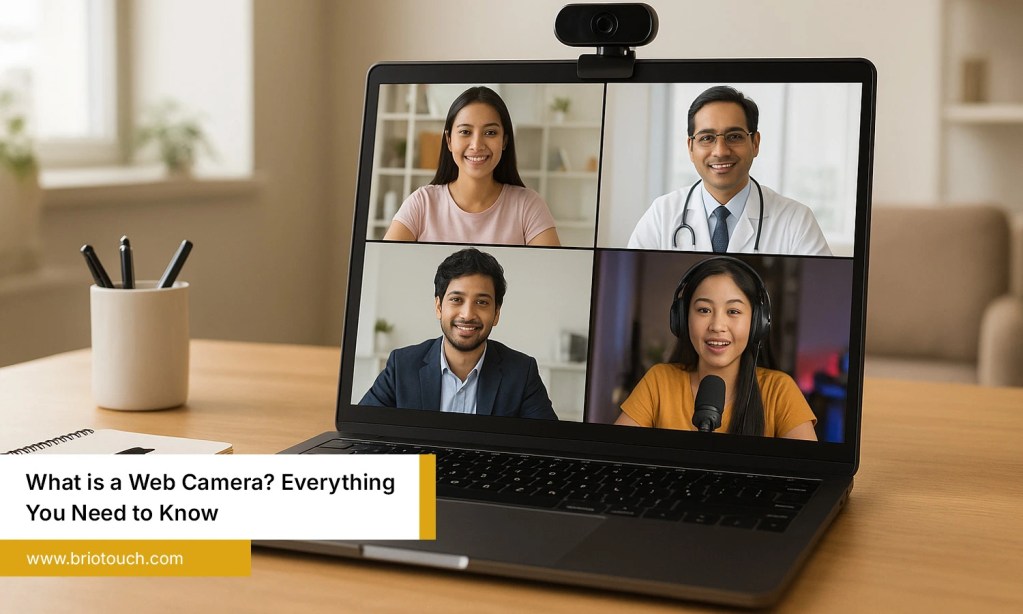

Professional meetings are no longer limited to conference rooms. Businesses now connect with clients, employees, and partners from different locations every day. While reliable internet is important, video quality often determines how effective and engaging a meeting feels. A high-quality video conferencing PTZ camera ensures everyone is seen clearly, making discussions more productive and professional. However, choosing the right camera can be confusing with so many options available. This guide simplifies the decision by explaining the key features to look for, the best options for different meeting rooms, common buying mistakes, and why PTZ cameras are essential for modern hybrid workplaces.
Table of Contents
- Why Choosing the Right PTZ Camera Matters
- Key Factors to Consider When Choosing a Video Conferencing PTZ Camera
- Best PTZ Camera Features for Different Meeting Room Sizes
- Common Mistakes to Avoid When Buying a PTZ Camera
- Why Businesses Are Investing in PTZ Cameras for Hybrid Meetings
- Conclusion
- Frequently Asked Questions
Also Read: How to Choose the Best Wireless Speaker with Mic for Conference Room
Why Choosing the Right PTZ Camera Matters
A professional meeting deserves more than a basic webcam. The right PTZ camera improves communication, keeps participants engaged, and creates a polished meeting experience. It also helps businesses avoid technical distractions while ensuring every attendee remains visible throughout the discussion. Investing in a quality solution today can improve collaboration for years to come.
Benefits include:
- Delivers sharp and professional video quality.
- Covers the entire meeting room with ease.
- Improves collaboration for remote and hybrid teams.
- Reduces manual camera adjustments during meetings.
- Creates a stronger impression during client presentations and business discussions.
Key Factors to Consider When Choosing a Video Conferencing PTZ Camera
1. Video Resolution and Image Quality
Image quality should always be the first consideration. A camera with Full HD or 4K resolution delivers sharper images, making facial expressions, presentations, and shared documents easier to view. Better image quality also reduces eye strain during long meetings and helps remote participants stay engaged. Choosing a camera with excellent low-light performance ensures consistent video quality, even in meeting rooms with limited lighting.
2. Optical Zoom vs Digital Zoom
Many buyers overlook the difference between optical and digital zoom. Optical zoom enlarges subjects using the camera lens, maintaining image clarity throughout the process. Digital zoom enlarges pixels, often reducing sharpness. For medium and large conference rooms, optical zoom is a much better investment because it provides detailed close-up views without compromising picture quality.
3. Pan, Tilt, and Zoom Range
Meeting rooms vary in size, so camera movement should match the available space. A wider pan and tilt range allows the camera to capture every participant without requiring manual repositioning. Smooth camera movement is equally important because sudden or jerky adjustments can distract attendees. Flexible PTZ controls help presenters move naturally throughout discussions while keeping everyone in the frame.
4. Auto Tracking and AI Features
Modern PTZ cameras use artificial intelligence to simplify meetings. Auto tracking follows the active speaker automatically, eliminating the need for someone to control the camera manually. Some cameras also recognize gestures, switch between presenters, or create intelligent framing based on the number of participants. These features save time while making meetings feel more interactive and professional.
5. Field of View
The field of view determines how much of the room the camera captures. Small meeting rooms benefit from wider viewing angles because everyone remains visible without moving furniture. Larger boardrooms may require adjustable viewing angles combined with optical zoom for better coverage. Selecting the appropriate field of view ensures no participant feels excluded from the conversation.
6. Audio Compatibility (Microphones & Speakers)
Excellent video deserves equally reliable audio. Before purchasing a PTZ camera, confirm that it works smoothly with external microphones, speakerphones, or complete conference audio systems. High-quality audio minimizes misunderstandings and allows conversations to flow naturally. Compatibility with existing equipment can also reduce installation costs and simplify future upgrades.
7. Connectivity Options (USB, HDMI, LAN, Wi-Fi)
Modern conference rooms rely on multiple devices, so connectivity matters. Look for cameras that support USB, HDMI, LAN, and network connectivity. Some advanced models also provide Power over Ethernet (PoE), reducing cable clutter during installation. Flexible connection options make integration with meeting room technology much easier and allow businesses to expand their systems as requirements change.
8. Compatibility with Video Conferencing Platforms
Even the most advanced camera has limited value if it does not work with preferred meeting software. Check whether the camera supports popular platforms such as Zoom, Microsoft Teams, Google Meet, and Cisco Webex. Broad compatibility ensures employees can join meetings confidently without worrying about software conflicts or complicated setup procedures.
Best PTZ Camera Features for Different Meeting Room Sizes
Every meeting room has different requirements, so selecting the same camera for every space is rarely the best approach. Room size, seating arrangement, and the number of participants all influence the camera’s performance. A small meeting room needs a different setup than a large boardroom or training hall. Understanding these differences helps businesses invest wisely and achieve better video quality. Choosing a video conferencing PTZ camera based on room size improves visibility, enhances collaboration, and creates a smoother meeting experience for everyone, regardless of where they join from.
Small Meeting Rooms
Choose a wide-angle PTZ camera with Full HD resolution, USB connectivity, and basic pan and tilt controls. These features provide excellent coverage for small teams without unnecessary complexity.
Medium Conference Rooms
Select a camera with optical zoom, AI auto tracking, and preset positions. These features keep presenters in focus while ensuring every participant remains visible during discussions and presentations.
Large Boardrooms
Large spaces require 4K resolution, powerful optical zoom, extensive pan and tilt coverage, and integration with professional audio systems to deliver clear communication across the entire room.
Common Mistakes to Avoid When Buying a PTZ Camera
- Buying based only on price: Choosing the cheapest camera may reduce upfront costs, but it often compromises image quality, reliability, and long-term performance, leading to additional expenses and frequent replacements later.
- Ignoring meeting room size: Selecting a camera without considering room dimensions can result in poor coverage, limited visibility, and an unsatisfactory meeting experience for both in-person and remote participants.
- Choosing unnecessary zoom levels: Paying for extremely high zoom capabilities makes little sense if meetings take place in small rooms where a standard optical zoom performs perfectly well.
- Overlooking compatibility: Always ensure the camera supports conferencing platforms, microphones, displays, and existing meeting room equipment to avoid integration issues after installation.
- Ignoring future business needs: Business requirements evolve over time. Investing in a scalable PTZ camera helps accommodate future expansion, hybrid work, and advanced collaboration without replacing the entire system.
- Forgetting installation requirements: Consider mounting options, cable management, power availability, and network connections before purchasing to ensure smooth installation and hassle-free operation from day one.
Why Businesses Are Investing in PTZ Cameras for Hybrid Meetings
Hybrid work has become a standard way of operating for many organizations. Employees, clients, and business partners often join meetings from different locations, making professional video quality more important than ever. A video conferencing PTZ camera ensures everyone can see presenters clearly while creating a more engaging and interactive experience. Businesses also use PTZ cameras for webinars, employee training, product demonstrations, interviews, and board meetings. Features such as AI tracking, optical zoom, and wide room coverage improve communication while reducing manual adjustments. These advantages make PTZ cameras a valuable investment for modern workplaces.
Conclusion
Choosing the right video conferencing PTZ camera can significantly improve the quality of professional meetings. From image resolution and optical zoom to AI features and platform compatibility, every factor contributes to a better meeting experience. Understanding your meeting room size, communication needs, and future business goals helps you make a smarter investment. A well-selected PTZ camera not only enhances collaboration but also creates a professional impression during client meetings, presentations, and virtual events. By focusing on practical requirements instead of unnecessary features, businesses can enjoy reliable performance and long-term value from their conferencing solution.
Looking for a reliable video conferencing PTZ camera solution? Explore Briotouch to discover professional conferencing technology designed to deliver seamless collaboration, exceptional video quality, and smarter business meetings.
Frequently Asked Questions
Q1: What is a video conferencing PTZ camera?
Ans: A video conferencing PTZ camera is a professional camera that can pan, tilt, and zoom to capture different areas of a meeting room. It offers better flexibility and image quality than a standard webcam, making it ideal for business meetings, classrooms, and conference spaces.
Q2: Is a PTZ camera better than a webcam for professional meetings?
Ans: Yes, PTZ cameras provide wider room coverage, smoother camera movement, optical zoom, and advanced features like auto tracking. They are designed for professional environments where multiple participants need to remain visible during meetings.
Q3: Which features are most important in a PTZ camera?
Ans: Look for Full HD or 4K resolution, optical zoom, AI-powered auto tracking, a wide field of view, reliable connectivity, and compatibility with platforms like Zoom, Microsoft Teams, and Google Meet.
Q4: Can PTZ cameras work with different video conferencing platforms?
Ans: Most modern PTZ cameras support leading conferencing platforms, including Zoom, Microsoft Teams, Google Meet, and Cisco Webex. Always check compatibility before purchasing to ensure smooth integration with your existing meeting setup.