Classrooms are changing faster than many schools expected. Teachers now use videos, digital notes, online collaboration tools, and interactive activities almost every day. As a result, schools are paying much closer attention while selecting technology for modern classrooms. Using an interactive flat panel for classroom learning can make lessons more engaging, easier to manage, and more interactive for students overall. Many buyers still find the selection process confusing since a lot of panels come with very similar features and overall specifications. Some panels look impressive initially but fail to perform properly in daily use. In this blog, we will discuss important features, buying mistakes, classroom needs, and future trends to help you choose wisely.
Table of Contents
- Why Schools Are Switching to Interactive Flat Panels in 2026
- Important Features to Look for Before Buying
- Common Mistakes Schools Make While Choosing an Interactive Flat Panel
- Choosing an Interactive Flat Panel According to Your Classroom Needs
- Future Trends in Interactive Classroom Technology
- Conclusion
- Frequently Asked Questions
Also Read: Why Schools Are Switching to Interactive Flat Panels for Better Learning Outcomes
Why Schools Are Switching to Interactive Flat Panels in 2026
Not very long ago, classrooms mainly relied on traditional whiteboards and projector setups for everyday teaching. That setup worked for a long time but teaching expectations are different now. Students lose attention quickly when lessons feel too static or repetitive. Teachers also need faster ways to explain concepts, share videos, and switch between activities without wasting half the class fixing technical issues.
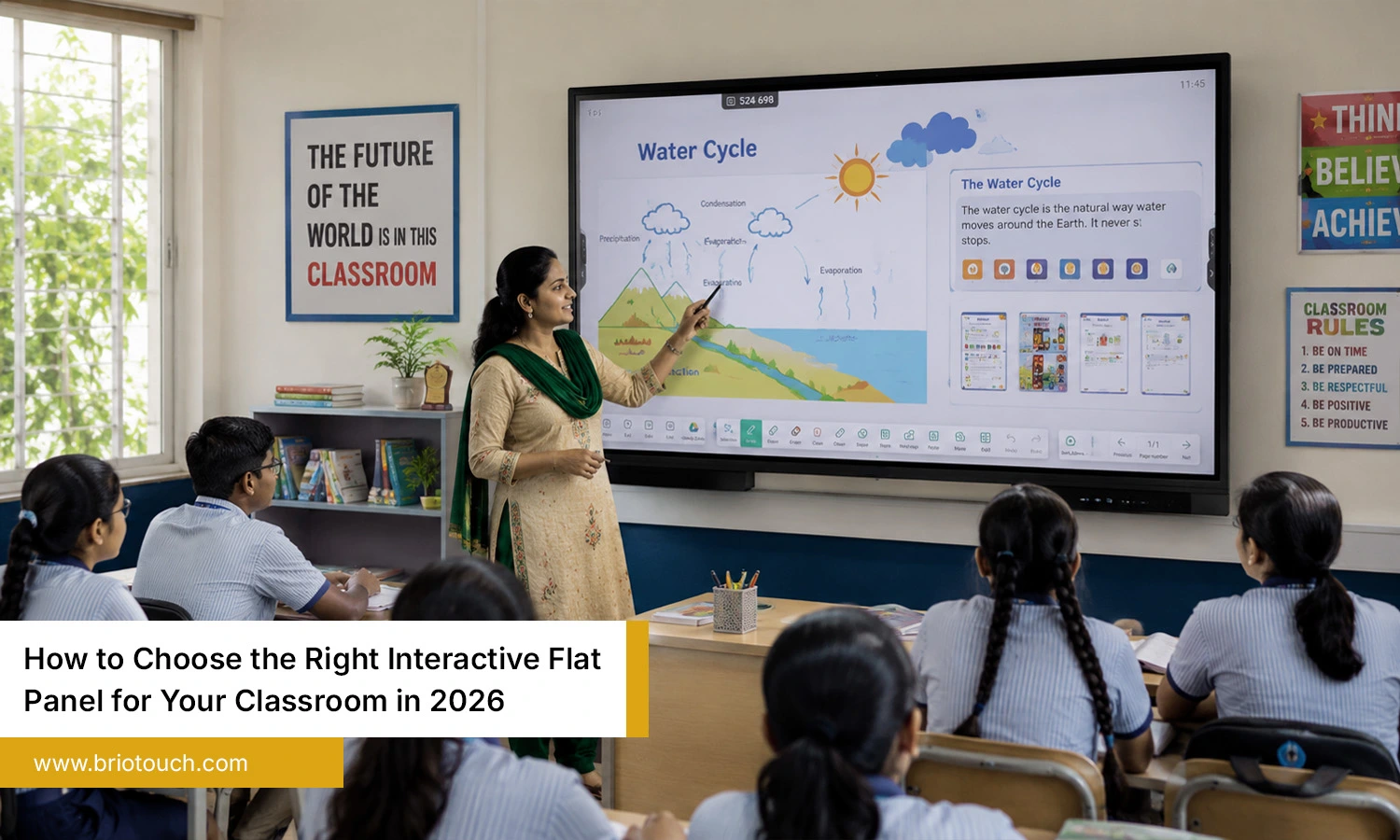
Because of this, many schools are now shifting toward an interactive flat panel for classroom teaching and everyday learning activities. The screen looks clearer, writing feels smoother, and teachers can handle lessons without constantly adjusting cables or projector settings. It simply makes everyday teaching feel less interrupted and more flexible.
Why schools are making the shift:
- Clearer screen visibility
- Easier classroom interaction
- Less maintenance work
- Better support for online learning
- Lower power consumption
- Improved student attention
- Faster lesson delivery
Important Features to Look for Before Buying
1. Screen Size and Classroom Compatibility
Many schools underestimate how important the correct screen size can be for classroom visibility and comfort. Students sitting at the back of the classroom may struggle to see properly if the screen size is too small. Larger classrooms usually need bigger panels for comfortable viewing. Before buying an interactive flat panel for classroom teaching, schools should always consider classroom dimensions, seating arrangement, and average viewing distance.
2. Touch Response and Writing Experience
Teachers use classroom displays continuously throughout the day, so touch response should feel smooth and natural. Delayed writing can interrupt lesson flow and frustrate educators. High-quality panels usually offer smooth multi-touch functionality along with precise handwriting detection during lessons. A responsive interactive flat panel for classroom use makes teaching feel more interactive and less technically stressful.
3. Display Quality
Display quality directly affects classroom visibility and student attention. A sharp 4K screen helps text, videos, and diagrams appear clearer during lessons. Brightness also matters in naturally lit classrooms. Anti-glare technology reduces reflections and improves readability. Schools should choose an interactive flat panel for classroom environments that remains visible throughout the day.
4. Built-In Software and Operating System
Simple software improves classroom productivity. Teachers usually prefer systems that are easy to navigate without technical complications. Modern panels often include built-in whiteboards, browser support, cloud integration, and app compatibility. A user-friendly interactive flat panel for classroom teaching allows educators to focus more on lessons instead of troubleshooting software issues.
5. Connectivity Options
Modern classrooms rely on multiple digital devices during lessons. Teachers may connect laptops, tablets, webcams, and document cameras throughout the day. Strong connectivity options like HDMI, USB-C, Bluetooth, and wireless sharing improve convenience. A well-connected interactive flat panel for classroom use saves time and creates smoother transitions between activities.
6. Audio Quality
Audio quality becomes extremely important during video lessons and online sessions. Poor audio quality can make videos and lesson content harder for students to follow, particularly in bigger classrooms. Clear sound improves communication and student focus. Schools choosing an interactive flat panel for classroom teaching should always test speaker clarity instead of focusing only on display specifications.
7. Durability and Warranty
Classroom technology is usually expected to last several years, making durability a major consideration. Some cheaper panels develop performance issues quickly after regular use. Reliable warranty coverage and strong after-sales support provide long-term peace of mind. Investing in a durable interactive flat panel for classroom environments often reduces future maintenance expenses significantly.
Common Mistakes Schools Make While Choosing an Interactive Flat Panel
- Buying Only on Price: Budget matters, obviously. But some low-cost panels begin slowing down after regular use, and repair costs eventually become another headache for schools.
- Ignoring Software Compatibility: Teachers often use different apps, lesson platforms, and devices. If the panel struggles to support them properly, classroom flow gets interrupted again and again.
- Choosing the Wrong Size: This happens surprisingly often. What looks large in a store sometimes feels too small when students sitting at the back cannot read properly.
- Overlooking Teacher Training: Not every teacher feels comfortable with new technology immediately. Without proper guidance, even useful features remain untouched most of the time.
- Ignoring Warranty Support: Technical issues are normal with any device. The real problem starts when support teams take days to respond during active school sessions.
Choosing an Interactive Flat Panel According to Your Classroom Needs
- For Small Classrooms: Small classrooms usually do not need oversized displays with complicated features. In fact, teachers in compact spaces often prefer panels that feel simple, fast, and comfortable to use during regular lessons. A screen that is too large can sometimes make the room feel crowded. Good audio clarity and smooth writing response matter much more in these setups because teachers interact closely with students throughout the class.
- For Large Schools: Large schools usually think beyond just one classroom while choosing technology. Schools usually prefer displays that continue working smoothly every day across different classrooms without frequent technical problems. IT teams often prefer systems that are easier to manage and update together. A reliable interactive flat panel for classroom teaching should work consistently because even small technical delays can disturb schedules in larger institutions.
- For Coaching Centers: Teaching inside coaching centers usually moves very quickly. Teachers explain concepts continuously, solve problems in real time, and switch between topics without long pauses. In these environments, touch response becomes extremely important. If writing feels slow or inaccurate, it immediately affects lesson flow. Many instructors also prefer panels where handwriting looks natural instead of overly digital or delayed.
- For Hybrid Learning Environments: Some classrooms now teach both online and offline students together, which changes technology requirements completely. Teachers may need screen recording, wireless sharing, webcams, and video conferencing during the same session. For hybrid learning environments, smooth device connectivity is essential since technical problems with sound or screen sharing can waste valuable class time and distract students.
Future Trends in Interactive Classroom Technology
Classroom technology is changing pretty quickly now, and schools are trying to keep up without making learning feel overly complicated. A few years ago, simply having a smart display inside a classroom felt modern enough. That is no longer the case. Teachers now expect tools that actually save time during lessons instead of adding more technical work in the middle of class.
AI-based teaching support, cloud connectivity, and real-time collaboration features are slowly becoming more common in newer displays. Some schools are also paying closer attention to energy usage because running multiple digital systems every day increases long-term costs. The future of the interactive flat panel for classroom experience will probably focus more on smoother teaching, easier sharing, and practical learning tools that teachers can use comfortably without needing constant technical support.
Conclusion
Choosing classroom technology sounds easy until schools actually start comparing options. Almost every display promises advanced features, smoother learning, and better classroom performance. Inside actual classrooms, though, practical performance usually matters far more than impressive marketing claims. Teachers need something reliable, simple to use, and comfortable enough for daily teaching without constant interruptions or technical confusion. A good interactive flat panel for classroom teaching should make lessons feel smoother, not more complicated. Clear visibility, responsive writing, reliable software, and long-term durability usually make a bigger difference than flashy features most classrooms never even use. When schools choose carefully, technology becomes part of the teaching process naturally instead of feeling like another system teachers are forced to manage every single day.
Looking for smarter classroom technology that actually feels easy to use? Explore modern interactive display solutions from Briotouch designed to support engaging, practical, and more flexible learning experiences.
Frequently Asked Questions
Q1: How long does an interactive flat panel last?
Most quality interactive flat panels can last between 7 to 10 years with proper maintenance and regular software updates.
Q2: Is an interactive flat panel better than a projector?
In many cases, yes. Interactive flat panels provide better brightness, clearer visuals, lower maintenance, and improved touch functionality compared to projectors.
Q3: Which screen size is best for classrooms?
Small classrooms often work well with 65-inch displays, while larger classrooms may require 75-inch or 86-inch panels for better visibility.