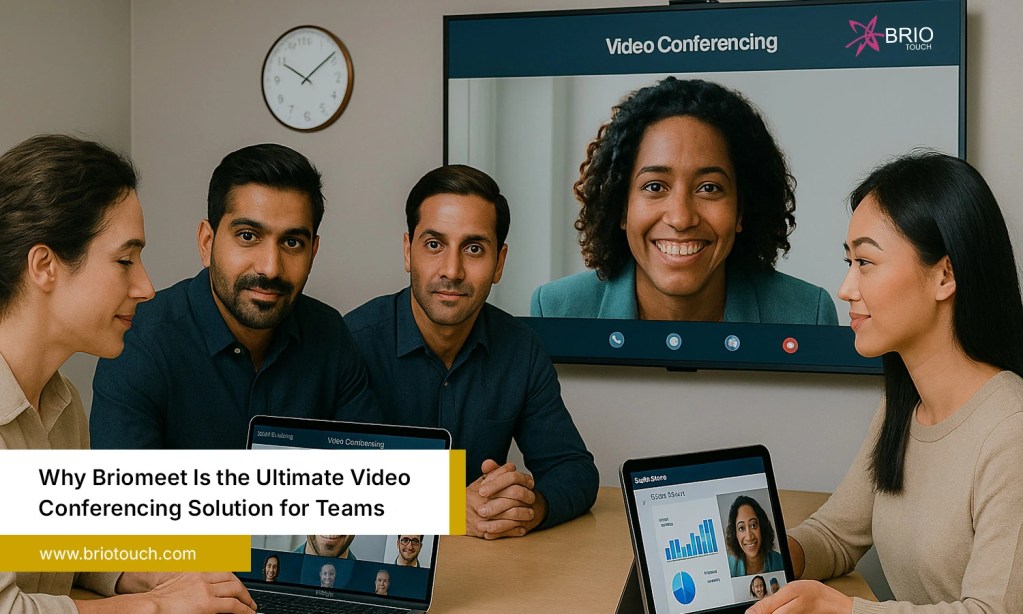

We’ve all sat through that call, the one where the screen freezes mid-sentence, someone can’t unmute, and ten minutes vanish before anything useful gets said. It can feel draining, and it doesn’t need to be like this. The right video conference software should get out of your team’s way and let the actual work happen. That’s exactly what Briomeet aims for and more importantly, it’s something it consistently lives up to. Whether your team is fully remote, hybrid, or spread across a few offices, Briomeet gives you a communication setup that simply works, every single time.
Table of Contents
Also Read: Why Briomeet is the Best Virtual Meeting Software for Businesses
What exactly is Briomeet?
Briomeet is a video conferencing platform designed around how modern teams really work. It’s not just a place to see faces on a screen, it’s a focused collaboration tool that handles everything from quick one-on-one to large company-wide meetings without missing a beat.
What really differentiates it is the mindset behind it: focus on getting the essentials right instead of trying to do everything just okay. No feature bloat, no confusing dashboards, no ‘how do I find screen share again?’ moments. It runs on desktop, mobile, and directly in the browser, so there’s zero barrier to getting everyone connected quickly. New team member joining on day one? They’ll be up and running in minutes with no training session or IT support required.
Here’s what Briomeet brings to modern teams:
- A clean, intuitive interface that anyone can figure out fast.
- Cross-device compatibility desktop, mobile, and browser.
- Enterprise-grade performance without enterprise-level complexity.
- Reliable uptime that remote teams can actually depend on.
- A feature set built around real collaboration, not just video calling.
Top Features That Make Briomeet Stand Out
There’s no shortage of video conference software out there. Most platforms cover the basics you can see people, talk, and share a screen. But growing teams need tools that actively support how they collaborate, not tools they constantly work around. Here’s what Briomeet brings to the table.
1. Crystal-Clear HD Video and Audio
Bad video quality has a way of making everyone feel less effective even when it’s just a Wi-Fi issue. Briomeet handles this with smart adaptive streaming that adjusts in real time based on your connection conditions. The result is consistently sharp video and clear audio, even when someone is calling in from a coffee shop with spotty internet. For remote teams that live in meetings throughout the day, this isn’t a minor perk, it’s the foundation everything else depends on. Reliable clarity means fewer misunderstandings and more time spent on actual work rather than technical troubleshooting.
2. Screen Sharing That Actually Works
Screen sharing sounds simple until it isn’t. Lag, permission errors, accidental full-desktop shares most teams have at least one story. Briomeet keeps it smooth and flexible. You can share your whole screen, a single application window, or just one browser tab, and everything stays responsive throughout. The built-in annotation tool adds another layer presenters can draw, highlight, and point directly on shared content in real time. This proves especially useful during design reviews, client walkthroughs, and live training sessions where simply saying ‘look at the screen’ doesn’t cut it. It turns passive viewing into genuine two-way engagement.
3. Meeting Recording and Playback
Not everyone can attend every meeting and even those who do sometimes need to go back and revisit something important. Briomeet’s one-click recording captures the full session: audio, video, and any active screen shares. Recordings are stored in a clean, searchable library so nothing gets buried or lost. This is a genuine lifeline for async teams working across different time zones, and equally valuable for onboarding new hires, documenting client conversations, or reviewing key decisions after they’ve been made. There’s no scrambling to take perfect notes in real time. Record it once, and the whole team can revisit it whenever needed.
4. Breakout Rooms for Focused Collaboration
Large group calls have a tendency to go sideways too many voices, not enough real focus. Briomeet’s breakout rooms solve this by letting hosts split participants into smaller, targeted groups within seconds. Whether you’re running a team workshop, a training program, or a brainstorming session that works better in tighter clusters, breakout rooms give every participant more space to actually contribute meaningfully. Hosts can move freely between rooms, broadcast announcements to all groups simultaneously, and pull everyone back together using a countdown timer. It’s organized, flexible, and transforms what would otherwise be chaotic large meetings into genuinely productive working sessions.
5. End-to-End Encryption and Security Controls
Security should come standard not as a premium add-on. In Briomeet, it does. Every meeting is protected with end-to-end encryption, keeping your conversations strictly between the people in the room. Hosts get a comprehensive set of controls on top of that: waiting rooms to screen incoming participants, the ability to lock a meeting once it has started, and permission settings that prevent unauthorized screen shares or recordings. For teams in healthcare, legal, finance, or any field where confidentiality is non-negotiable, this isn’t optional. It’s a baseline requirement and Briomeet meets it without making security feel like a burden.
6. Seamless Integrations
The best tools fit quietly into your existing workflow without creating new friction points. Briomeet integrates cleanly with the platforms your team already relies on calendar apps, project management tools, and everyday communication platforms. Scheduling a meeting takes seconds, and the invite shows up exactly where your team expects it to. Joining is equally straightforward: one click, no link hunting, no passcode confusion. These small, smooth moments add up significantly over a full workweek. When your video conference software genuinely works alongside everything else instead of fighting it, the whole team moves noticeably faster and wastes a lot less time.
Briomeet vs. Other Video Conference Software
The video conferencing market is crowded, and most platforms do a reasonable job covering the basics. So where does Briomeet actually pull ahead? Here’s an honest side-by-side look:
| Feature | Briomeet | Tool A | Tool B |
| HD Video + Audio | ✔ Yes | ✔ Yes | ✔ Yes |
| Breakout Rooms | ✔ Yes | ✔ Yes | ✘ Limited |
| Meeting Recording | ✔ Yes | ✔ Yes | ✔ Yes |
| End-to-End Encryption | ✔ Yes | ✘ No | ✔ Yes |
| Affordable Pricing | ✔ Yes | ✘ No | ✘ No |
| Easy Onboarding | ✔ Yes | ✘ No | ✔ Yes |
| Custom Integrations | ✔ Yes | ✔ Yes | ✘ Limited |
What the table doesn’t show is the experience of actually using it. Briomeet’s onboarding is genuinely fast, the interface doesn’t demand a learning curve, and the pricing doesn’t penalize smaller teams for needing professional-grade features. That combination is rarer than it should be.
How to Get Started with Briomeet
Getting started takes minutes, not hours. Here’s how simple it is:
Step 1: Create your free account on the Briomeet.
Step 2: Set up your team workspace and invite members via email or a shared link.
Step 3: Schedule your first meeting from the dashboard or sync it with your calendar.
Step 4: Join from any device desktop app, mobile, or straight from the browser.
No IT support needed or no lengthy configuration. Most teams are up and running their first meeting within 15 minutes of signing up.
Conclusion
The right video conference software doesn’t just connect people, it makes collaboration feel effortless. It cuts down the hassle instead of creating more. It turns meetings from something teams dread into something they can actually move forward from. Briomeet does exactly that. It’s not the loudest name in the space, but the teams using it tend to stay because reliability, simplicity, and performance are hard to walk away from once you’ve found them. If your current setup is quietly slowing your team down, it’s time to try something better. Good meetings start with the right foundation.
Ready to transform the way your team meets? Try Briomeet today proudly built by Briotouch, a company that believes great teamwork starts with great tools.
Frequently Asked Questions
Q1. What makes Briomeet the best video conference software for modern teams?
It combines HD quality, strong security, intuitive design, and genuine collaboration features all without the steep pricing or learning curve that comes with many alternatives.
Q2. Is Briomeet secure enough for sensitive business conversations?
Yes. End-to-end encryption is built in by default, and hosts have full control over meeting access, participant permissions, and session locks suitable for privacy-sensitive industries.
Q3. Can participants join without downloading an app?
Absolutely. Briomeet works directly in any modern browser. The desktop and mobile apps are available for an optimized experience but are entirely optional.