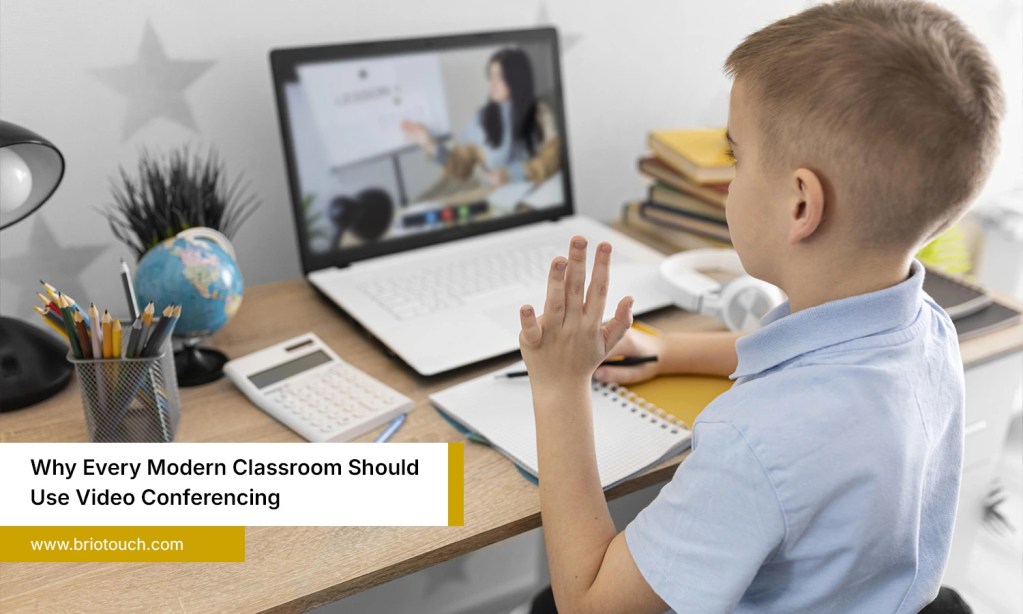

Communication in modern workplaces has changed dramatically over the last few years. Businesses, schools, healthcare providers, and remote teams now depend heavily on virtual meetings for daily collaboration. However, choosing the right conferencing solution is not always easy because every organization has different communication needs, budgets, and technical requirements. Some systems work well for small teams, while others are designed for large enterprises and global operations. Understanding different video conferencing types helps businesses make smarter decisions and avoid unnecessary expenses. In this blog, we will compare the major video conferencing solutions, their pros, cons, best use cases, common mistakes, and tips for choosing the right platform.
Table of Contents
Also Read: How to Choose the Best Wireless Speaker with Mic for Conference Room
Main Video Conferencing Types Explained
1. Desktop Video Conferencing
Desktop video conferencing has become one of the most commonly used communication solutions today. It allows users to join meetings directly from laptops or desktop computers using software applications or online platforms.
This type of conferencing became extremely popular during the remote work boom because it is affordable, flexible, and easy to use. Employees can attend meetings from home, co-working spaces, or while traveling.
Pros
- Easy setup and installation
- Affordable for small businesses
- Flexible for remote employees
- Supports quick collaboration
Cons
- Strongly depends on internet quality
- Audio and video quality may vary
- Less immersive than dedicated room systems
Best Use Cases
- Freelancers
- Startups
- Remote teams
- Small businesses
Desktop systems are ideal for organizations that want simple communication without spending heavily on hardware infrastructure.
2. Room-Based Video Conferencing
Room-based conferencing uses dedicated conference room equipment, including cameras, microphones, speakers, and large displays. These systems are designed for professional meetings and collaborative presentations.
Many enterprises prefer this option because it creates a more organized and polished meeting experience, especially during client discussions or team presentations.
Pros
- Better video and audio quality
- Professional meeting environment
- Excellent for presentations and group discussions
- More reliable for larger meetings
Cons
- Higher installation costs
- Requires maintenance and technical support
- Less flexible than cloud-based options
Best Use Cases
- Corporate offices
- Boardrooms
- Client meetings
- Enterprise collaboration
Among all video conferencing types, room-based systems are often preferred by organizations that conduct frequent internal and external meetings with larger teams.
3. Telepresence Video Conferencing
Telepresence conferencing is a high-end communication solution designed to create an immersive face-to-face meeting experience. Advanced cameras, life-sized displays, and spatial audio make remote meetings feel far more natural and realistic.
Large multinational companies often use telepresence technology to improve collaboration between international offices while reducing travel expenses.
Pros
- Extremely immersive communication
- Superior meeting quality
- Creates realistic interaction
- Enhances executive collaboration
Cons
- Very expensive
- Complex setup requirements
- Requires specialized infrastructure
Best Use Cases
- Global enterprises
- Executive meetings
- International business operations
- High-level strategic collaboration
Although telepresence systems are costly, many organizations consider them worthwhile because they improve communication efficiency and reduce frequent business travel.
4. Web-Based Video Conferencing
Web-based conferencing allows users to join meetings directly through internet browsers without downloading software. This approach has become increasingly popular because it simplifies access for guests and first-time users. Many companies now prefer browser-based meetings for quick communication and external collaboration.
Pros
- No software installation required
- Fast and convenient access
- Easier onboarding for guests
- Works across multiple devices
Cons
- Some browsers may have compatibility issues
- Limited advanced features in certain platforms
- Performance may vary depending on browser settings
Best Use Cases
- Client meetings
- Online interviews
- Quick virtual collaboration
- Customer support sessions
For businesses that prioritize convenience and speed, web-based platforms remain one of the most practical video conferencing types available today.
5. Cloud Video Conferencing
Cloud video conferencing systems are hosted online and managed through cloud infrastructure instead of relying heavily on on-site hardware. These platforms have become extremely common because they offer scalability and flexibility for modern businesses.
Cloud systems also support hybrid work environments where employees work from both office and remote locations.
Pros
- Easy scalability
- Lower hardware dependency
- Automatic updates and maintenance
- Accessible from multiple locations
Cons
- Ongoing subscription costs
- Internet dependency
- Security concerns if poorly managed
Best Use Cases
- Hybrid workplaces
- Growing businesses
- Distributed global teams
- Educational institutions
Cloud-based solutions continue dominating the market because they adapt easily to changing business requirements and remote work trends.
Comparison of Different Video Conferencing Types
| Type | Cost | Setup Difficulty | Best For | Scalability |
| Desktop Conferencing | Low | Easy | Small teams | Moderate |
| Room-Based Conferencing | High | Moderate | Enterprises | High |
| Telepresence Conferencing | Very High | Complex | Global corporations | Moderate |
| Web-Based Conferencing | Low | Very Easy | Quick meetings | High |
| Cloud Conferencing | Moderate | Easy | Hybrid workplaces | Very High |
This comparison helps businesses understand which conferencing solution aligns best with their operational needs and budget.
How to Choose the Right Video Conferencing Solution
Consider the Size of Your Team: What works for a five-member team may not work properly for a growing company managing meetings across multiple departments daily.
Check How Stable Your Internet Is: Even expensive meeting software performs badly when internet speed keeps dropping during presentations, discussions, or important client conversations regularly.
Pay Attention to Security: If your meetings include sensitive business information, stronger security settings become necessary instead of something businesses can simply ignore.
Understand the Hardware You Actually Need: Some video conferencing types need professional equipment setups, while others run comfortably through basic laptops and everyday office devices.
Keep the Platform Easy for Employees: People avoid platforms that feel confusing. Most teams work better with software that feels straightforward from the very first meeting.
Common Mistakes Businesses Make When Selecting Video Conferencing Systems
Going for the Cheapest Plan Too Quickly: At first the lower price feels attractive, but later the missing features and constant issues start affecting everyday communication badly.
Not Thinking Much About Internet Quality: Everything looks fine until meetings begin freezing, voices start breaking, and people keep repeating the same sentence again and again awkwardly.
Expecting Employees to Figure It Out Alone: Some businesses never explain the platform properly, then get frustrated when meetings become messy or employees avoid using certain features.
Treating Security Like a Small Issue: One unsecured meeting link or weak password can sometimes create bigger problems than businesses initially expect during confidential discussions.
Choosing Software That Feels Overcomplicated: People naturally avoid tools that feel confusing. If joining a meeting takes effort, employees slowly stop engaging properly over time.
Conclusion
Most businesses did not think this much about video meetings earlier. But now, when half the conversations happen through screens, the quality of communication affects daily work more than people realize. Different video conferencing types solve different problems. Some are better for quick team calls, while others work better for boardrooms and large discussions. That is why choosing randomly usually creates frustration later. A platform should feel comfortable for the people actually using it every day. When meetings run smoothly, teams collaborate better, conversations feel more natural, and work simply gets done faster without unnecessary interruptions.
Briotouch helps businesses create smarter and more reliable meeting spaces with modern conferencing solutions designed for easier collaboration, better communication, and smoother hybrid work experiences.
Frequently Asked Questions
Q1: What are the main video conferencing types?
Ans: The main types include desktop, room-based, telepresence, web-based, and cloud video conferencing systems used for different communication needs.
Q2: Which video conferencing solution is best for small businesses?
Ans: Cloud and desktop conferencing solutions are usually best for small businesses because they are affordable, flexible, and easy to manage.
Q3: Is cloud video conferencing secure?
Ans: Yes, most cloud conferencing platforms offer encryption, password protection, and secure meeting controls for improved communication security.
Q4: Why do businesses use video conferencing systems?
Ans: Businesses use video conferencing systems to improve remote collaboration, reduce travel costs, conduct meetings, and support hybrid work environments.